
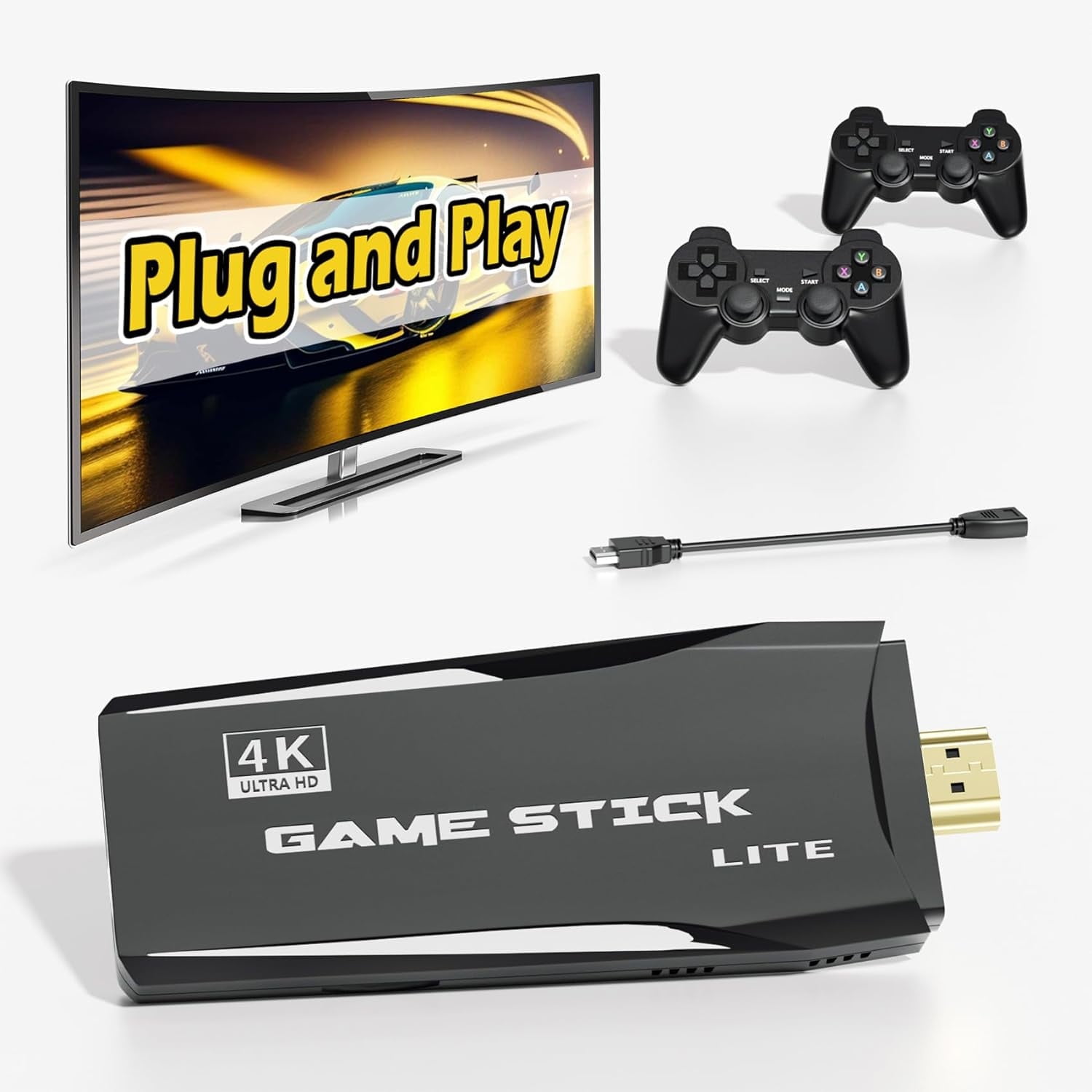
Retro Game Stick - Nostalgia Stick S2 Preloaded 12000+ Classic Retro Games,9 Emulators,Plug and Play Video Games for TV,Emulator Console S2 Support 4K HD Port,2 Wireless Gamepads(64G)
Produktdetails
| Artikelnummer | 238231439 | Erscheinungsdatum | 2026/07/11 | Listenpreis | €16.00 | Modellnummer | 238231439 | ||
|---|---|---|---|---|---|---|---|---|---|
| Kategorie | |||||||||
<h2>Product Description<br><br><br><br><br><br><br><br><br></h2> <p><br><br><br><br><br><br><br><br><br><br></p> <h3>Reasons to Choose the Retro Game Console S2 <br><br><br><br><br><br><br><br><br></h3> <p>1.12000+ Arcade Games, 9+ Emulators, portable retro game library.<br><br><br><br><br><br><br><br><br></p> <p>2.The Wireless Retro Game Stick S2 has a built-in 64G-game SD card.<br><br><br><br><br><br><br><br><br></p> <p>3.Dual Wireless Game Controllers with one for two USB receivers and HD extension cable.<br><br><br><br><br><br><br><br><br></p> <p>4.Six Major Functions: Favorite Game/Search Game/Add Game/Game Pause/Game Save/Game Load.<br><br><br><br><br><br><br><br><br></p> <p>5.Plug and play: Connect to the HD port on the TV Screen/Computer Screen/Projector, plug in the power and play the game.<br><br><br><br><br><br><br><br><br></p> <p>6.Butler-style After-sales Service, Online Advisory Service provides you with 24-hour Butler-style Service.<br><br><br><br><br><br><br><br><br></p> <p>(Note: Among the game files built into the Nostalgic Game Stick, most games can be entered normally, but some games will crash due to incompatibility,This is normal.The error tolerance rate exceeds 10%, please contact Online Advisory Service.)<br><br><br><br><br><br><br><br><br></p> <p><br><br><br><br><br><br><br><br><br></p> <h3>How To Use: <br><br><br><br><br><br><br><br><br></h3> <p>Step 1: Connect Retro Game Stick to TV via HD.<br><br><br><br><br><br><br><br><br></p> <p>Step 2: Tune your TV to the correct HD input.<br><br><br><br><br><br><br><br><br></p> <p>Step 3: Plug the nostalgic game stick into the power supply.<br><br><br><br><br><br><br><br><br></p> <p>(The power plug is a mobile phone power plug or a 5V power plug.) <br><br><br><br><br><br><br><br><br></p> <p>Step 4: Install 2 AAA batteries for the gamepad, and you can play the game smoothly.<br><br><br><br><br><br><br><br><br></p> <p>(When the gamepad is not in use, the gamepad goes to sleep to save energy. The light will turn off at this time. Just press SELECT+START at the same time, the light will turn on again)<br><br><br><br><br><br><br><br><br></p> <p><br><br><br><br><br><br><br><br><br></p> <h3>Six Functions of Retro Game Stick S2 <br><br><br><br><br><br><br><br><br></h3> <p>1.Favorite Game: R2 Built. Select the game file you like and press R2 to add it to favorites.<br><br><br><br><br><br><br><br><br></p> <p>2.Search Game: On the Find interface, enter the game name to locate the game location with one click. (every word of game name, capitalized)<br><br><br><br><br><br><br><br><br></p> <p>3.Add Game: Insert the SD card into the computer, copy the downloaded game files to the emulator folder corresponding to the ROMS of the SD card, and that’s it. (Check the memory and clear up enough memory space)<br><br><br><br><br><br><br><br><br></p> <p>4.Game Pause: Press SELECT+START at the same time on the game interface.<br><br><br><br><br><br><br><br><br></p> <p>5.Game Save: Select SAVE GAME on the pause interface.<br><br><br><br><br><br><br><br><br></p> <p>6.Game Load: Select LOAD GAME on the pause interface.<br><br><br><br><br><br><br><br><br></p> <p><br><br><br><br><br><br><br><br><br></p>
- Retro Game Stick S2 comes with 12000+ classic video games pre-installed, compatible with 9 emulators, no need for internet connection, plug and play video games for TV, take you to experience retro games from 80's-90's.
- Retro Game Console S2 comes with two 2.4G USB wireless gamepads, the connection distance is about 30 inches with stable output. You can bring your friends or family to enjoy the fun gaming time together.
- Game Stick S2 has a compact appearance and is easy to carry. Support HDMI output port, you can play games on TV/PC/Monitor/Projector. Easy to operate, Plug and Play.
- Nostalgia Stick S2 use three steps: 1. Insert the game TF card and controller USB receiver into the Game Stick. 2. Connect the Game Stick to the TV using the HDMI cable and connect the Game Stick to the power supply using the USB cable. 3. Adjust the TV to the corresponding HDMI output channel and start to play the game.
| Brand | Kothab |
|---|---|
| Video game platform | Classic Game Console |
| Wireless | 2.4G |
| Battery consumption type | Exchangeable Rechargeable Battery |
| Power type | Battery |
| Connection | HDMI |
| Model name | Retro Game Stick S2 |
| Compatible models | TV |
| Video game controller type | Pads |
| Accessories | HD Extension Cable.<br><br><br><br><br><br><br><br><br><p></p> <p>4.Six</p> |
| Number of controllers | 2 |
| Has written warranty | No |
| Dexterity | Ambidextrous |
Korrektur der Produktinformationen
Wenn Sie Unvollständigkeiten oder Fehler in den Produktinformationen auf dieser Seite bemerken, nutzen Sie bitte das Korrekturformular unten.
Korrekturanfrage